Every surveyor knows the quiet little lie in a hand-digitised parcel layer: the
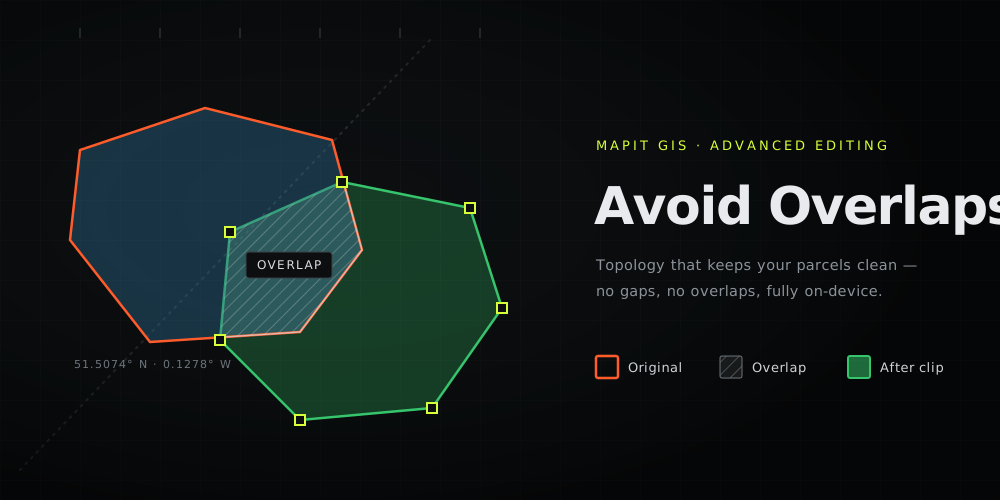
boundaries don't quite line up. Trace a new plot next to an existing one and you
either leave a hairline gap or, more often, a sliver of overlap. The overlap gets
counted twice, the parcel areas stop adding up, and the "clean" dataset you hand
over isn't.
Vertex Snapping got you onto the
existing vertices. Avoid Overlaps finishes the job: a topology rule that makes
sure the polygon you just drew never overlaps the ones already there - on the
phone, in the field, fully offline.
For over a decade, the answer to "I need to split this polygon" or "I need to
buffer that line" has been the same: stop what you're doing, walk back to the
truck, transfer the file to a laptop, and open QGIS. Not any more.
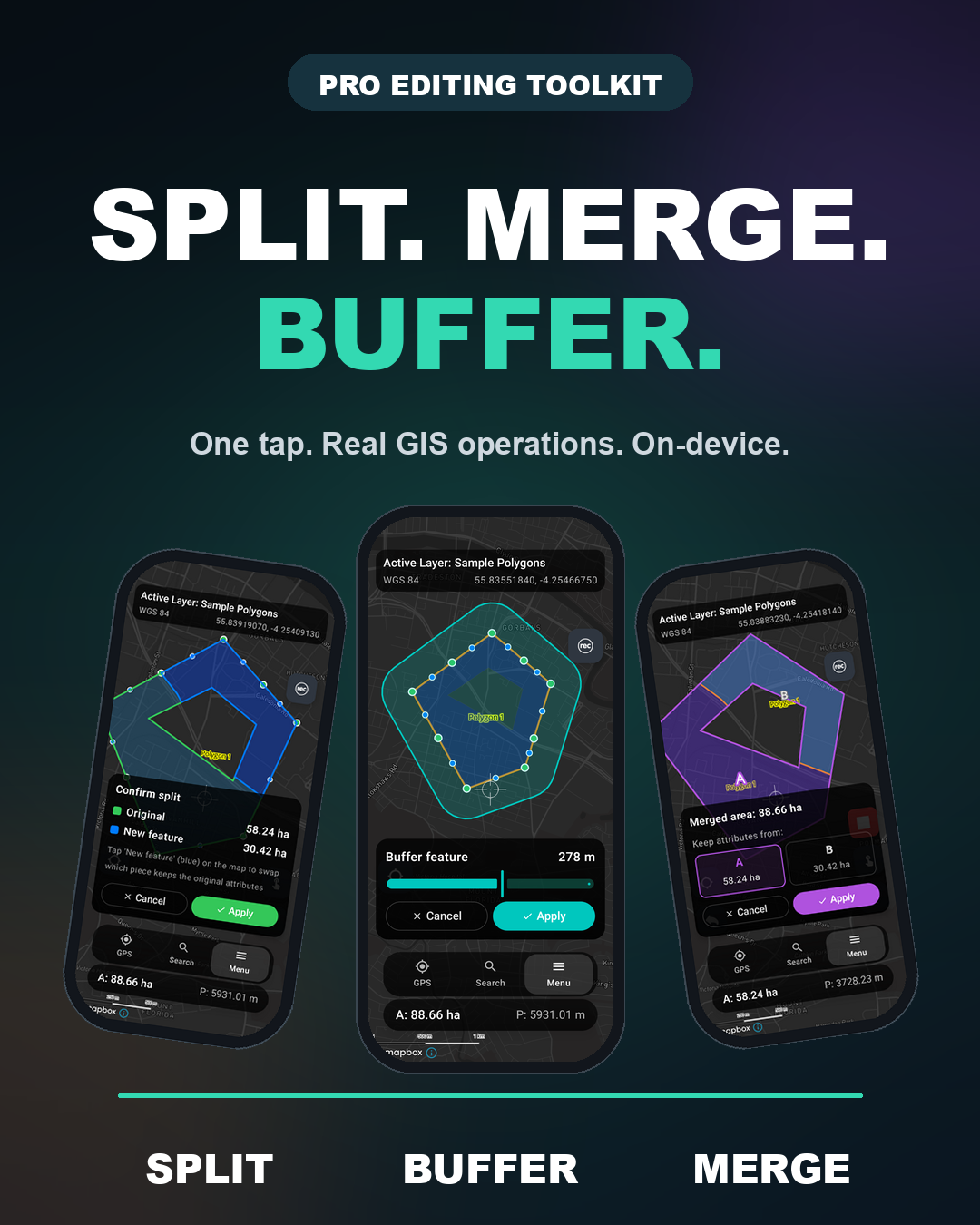
The latest Mapit GIS Android release brings a full Advanced Editing
toolkit straight to the map. The four operations you used to fire up a
desktop GIS for now ship in your pocket: Split, Merge, Buffer,
and proper Vertex Snapping. All running on-device, fully offline, against
native GeoPackage.
Version 3 is a ground-up rebuild of the user interface. This isn't an incremental release - every major screen has been rebuilt using Jetpack Compose, Android's modern UI toolkit. The result is smoother animations, a more consistent look and feel, and a foundation that lets us ship new features faster.
For the past several months we've been working on bringing Mapit GIS to iOS - a completely native Swift application built from the ground up. That process forced us to rethink how the app should work: the navigation, the editing workflows, how features are presented on the map.
Rather than let the Android app fall behind, we decided to rebuild it in parallel. The iOS work gave us a chance to step back and reconsider things we'd lived with for years. Version 3 brings those lessons back to Android.
The app now features a glass-styled bottom navigation bar with quick access to GPS, search, and the main menu. The search experience introduces categorised tabs for Places and Documents. Selected features appear in a polished bottom sheet, and the entire navigation overlay has been rethought for one-handed field use.
Connection reliability for external GNSS receivers has been a focus:
Bluetooth stability - fewer disconnections, no duplicate status toasts, better UI feedback during pairing
TCP GNSS fixes - resolved timeout issues after extended use and disconnection problems on Android 14+
Foreground service improvements - Android can no longer silently kill your GNSS connection in the background (enable notifications for Mapit GIS to enhance this)
GPS info sheet - completely rebuilt with a cleaner layout and better organisation of GNSS stats
Position averaging - a new averaging sheet for high-accuracy point collection
Note: If you are using external GNSS receivers via Bluetooth or TCP and experiencing disconnections, the foreground service changes should help significantly. For enhanced user experience ensure the notifications are switched on for Mapit GIS app in Android Settings.
Version 3 is the foundation for something bigger. We're working on cloud infrastructure that will let you manage and create GeoPackages from the web - no device required. Team collaboration, project sharing, and sync across devices are all part of the plan.
We're also exploring tighter integration with desktop GIS tools. The ability to prepare projects in QGIS and push them directly to Mapit GIS in the field (and back again) is something we've wanted for a long time. Early days, but it's on the roadmap.
More details on the iOS release in the coming weeks. If you've been waiting for Mapit GIS on iPhone and iPad - it's nearly here.
Mapit GIS 3.0 will be available on Google Play soon.