GeoPDFs
Mapit GIS Professional can import GeoPDF files — PDF documents that contain embedded geospatial metadata — and display them as map overlays. GeoPDFs are commonly produced by government mapping agencies, land management organisations, and GIS software.
What is a GeoPDF?
A GeoPDF is a standard PDF file with additional geospatial information embedded in its internal structure. This metadata defines how the map content on the page relates to real-world coordinates, allowing GIS applications to correctly position the PDF on a map.
Not all PDFs are GeoPDFs. A regular PDF of a map image has no embedded coordinates and cannot be used as a georeferenced overlay. Only PDFs specifically created with geospatial metadata will work.
Supported GeoPDF standards
Mapit GIS supports two GeoPDF standards:
ISO 32000 (recommended)
The modern open standard used by most current GIS software. Geospatial data is stored in Viewport (VP) entries with Measure dictionaries containing geographic corner points (GPTS).
Used by: USGS, many government agencies, QGIS, ArcGIS
TerraGo
An older proprietary format developed by TerraGo Technologies. Uses LGIDict dictionaries with projection parameters, coordinate transformation matrices, and neatline polygons.
Used by: Older government datasets, TerraGo software
Importing a GeoPDF
- Android
- iOS
- Open Offline Maps from the main menu
- Switch to the GeoPDFs tab
- Tap the + button
- Browse to and select your
.pdffile - The PDF will be processed — geospatial metadata is extracted and the map page is rendered as an image overlay
The first page of the PDF is rendered as the map overlay. Multi-page PDFs are supported but only page 1 is used.
GeoPDF import on iOS ships in Mapit GIS for iOS 1.6 and later.
GeoPDFs are imported from the same Geo Images & PDFs tab as georeferenced images — there is no separate PDFs tab.
- Open Offline Maps from the main menu
- Switch to the Geo Images & PDFs tab
- Tap the + button
- The document picker opens, filtered to supported image types and
.pdf
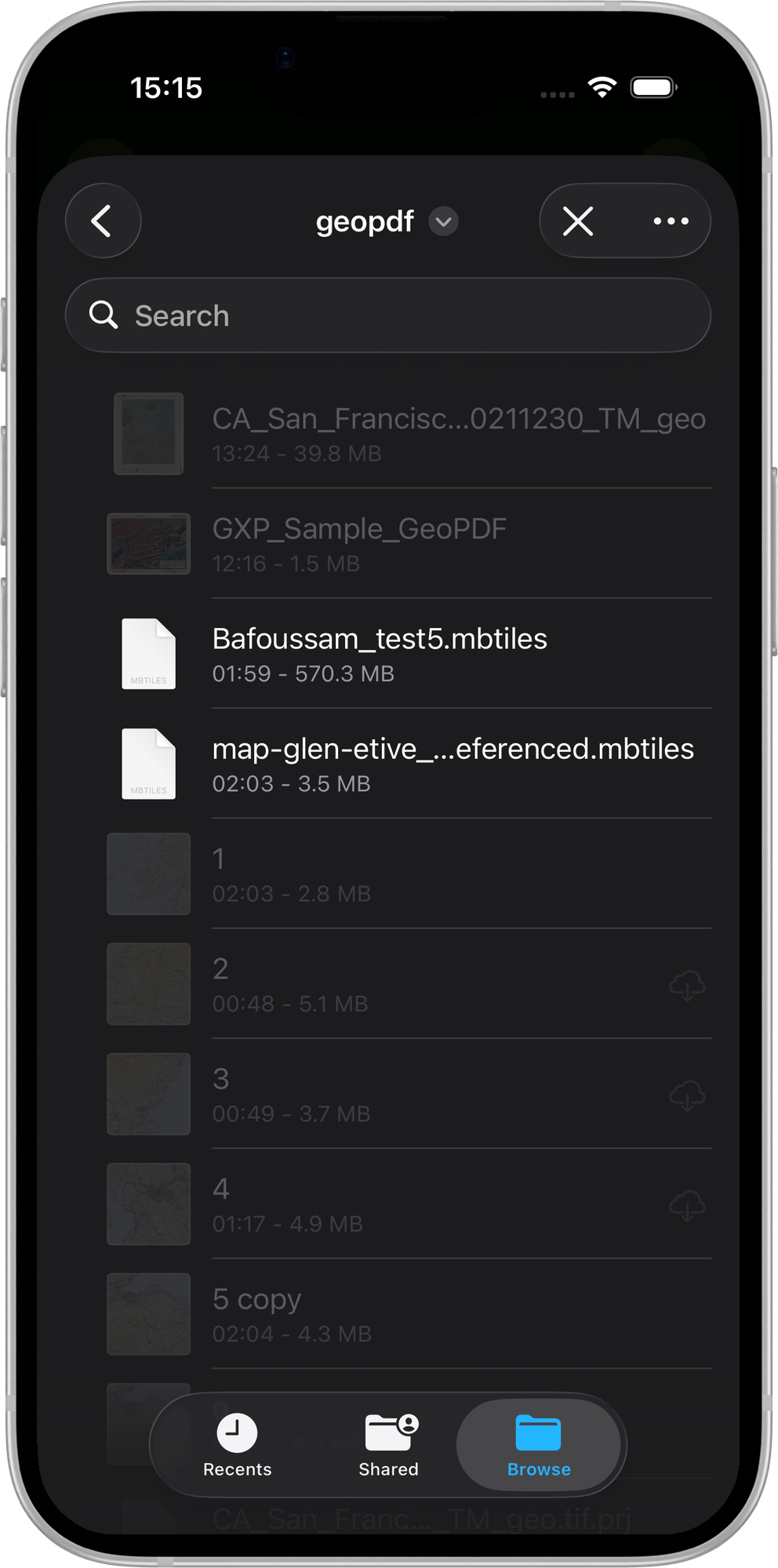
- Navigate to your
.pdffile and tap to select it - Mapit GIS detects the standard automatically:
- ISO 32000 — reads the VP / Measure / GPTS entries
- TerraGo — reads the LGIDict / Neatline / CTM entries
- The import sheet shows a Standard label so you can confirm which path was detected
- The import sheet also shows the detected CRS, geographic bounds, and file size — the same sheet used for georeferenced images
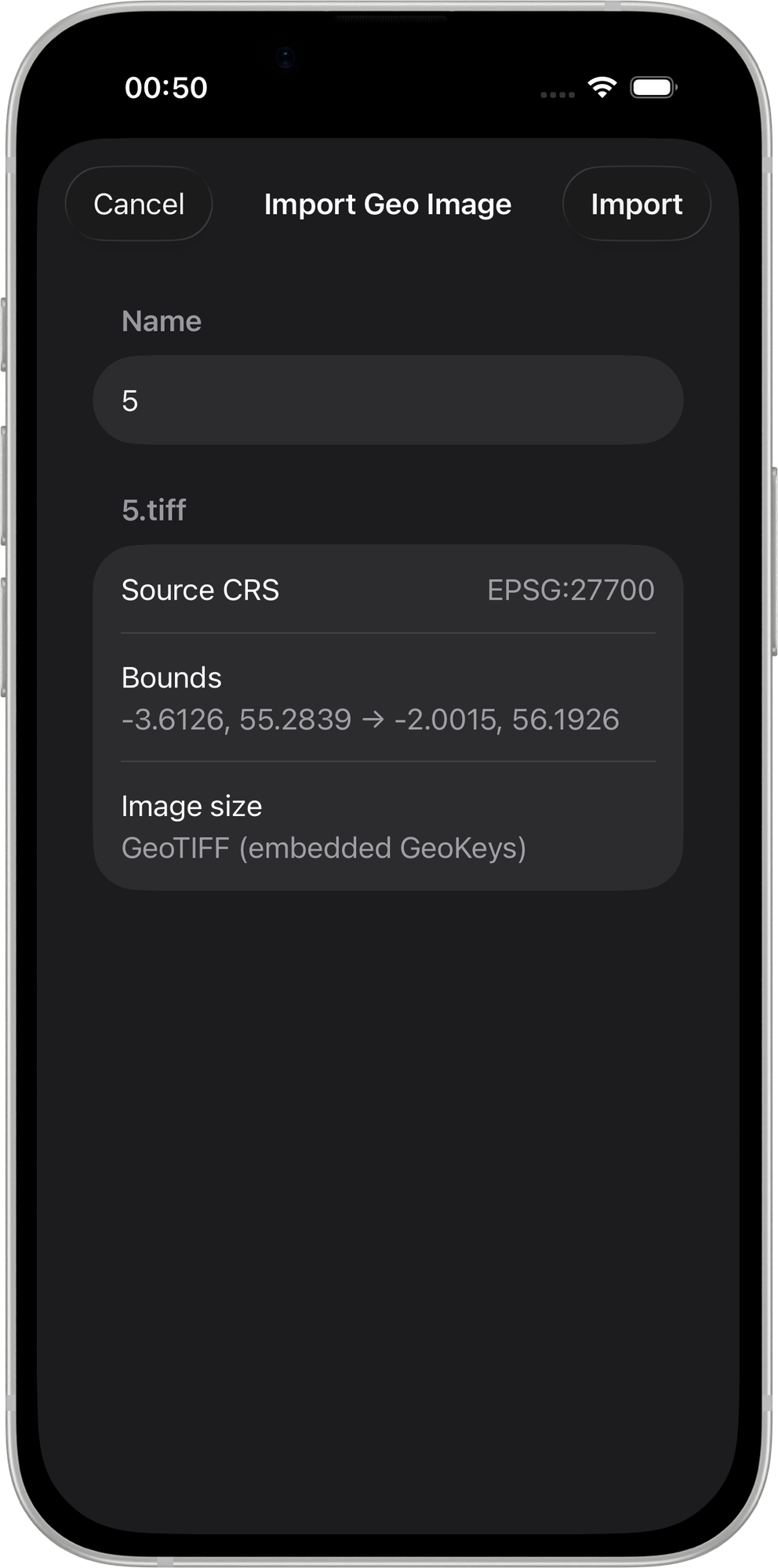
- Tap Import to confirm
Once imported, the PDF is rasterised and the result is displayed as a map overlay.
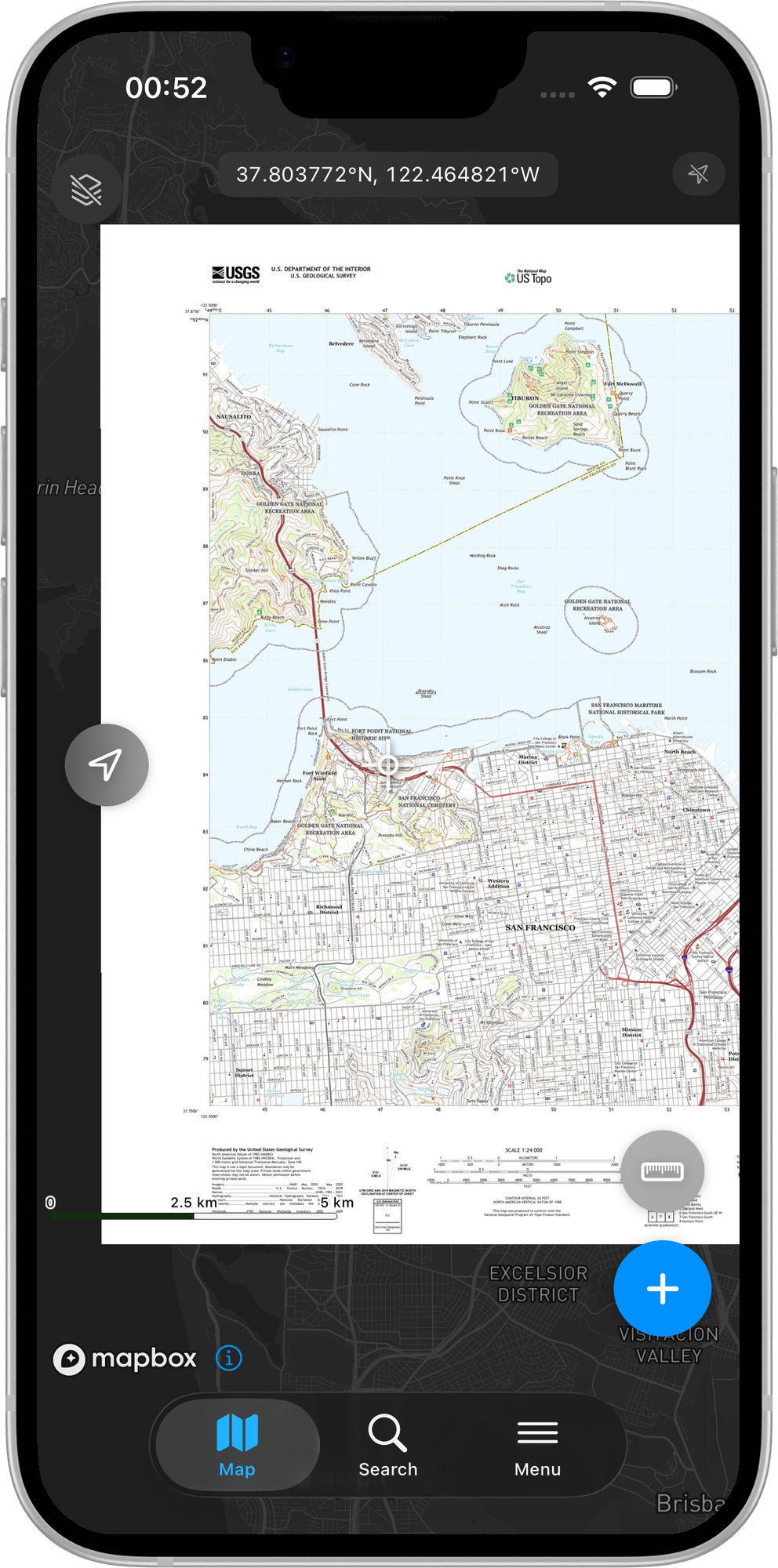
The Geo Images & PDFs tab is available to Pro subscribers and above. Free users do not see this tab.
Multi-page PDFs
If the PDF contains more than one page, a page stepper appears in the import sheet. Use it to step through pages — Mapit GIS re-detects the georeferencing metadata for each page as you switch, so you can confirm that the selected page is indeed the georeferenced map page before importing.
Encrypted PDFs
If the selected PDF is password-protected, Mapit GIS cannot read its geospatial metadata and will show a graceful error. Decrypt the file before importing.
Opening a GeoPDF from another app (share sheet)
You can send a .pdf directly to Mapit GIS from any iOS app that supports the standard share sheet — for example from the Files app, Mail, or via AirDrop:
- Locate the PDF in the Files app (or receive it via AirDrop / Mail attachment)
- Long-press (or tap the share icon) and choose Share
- Select Mapit GIS from the share sheet destinations
- The app opens (or comes to the foreground) and navigates straight to the Geo Images & PDFs tab with the import sheet pre-populated for that PDF
This flow works because Mapit GIS declares .pdf as a supported document type via the system's document registration. You do not need to manually copy the file to iCloud Drive first.
Storage
The original .pdf file is kept in Documents/GeoImages/<uuid>.pdf alongside the rasterised <uuid>.jpg overlay. This means a future page switch can re-use the stored PDF without requiring a re-import.
Managing GeoPDFs
- Android
- iOS
Once imported, GeoPDFs appear in the GeoPDFs tab of the Offline Maps screen. You can:
- Toggle visibility — show or hide the overlay
- Adjust transparency — blend the PDF map with the base map (0–100%)
- Reorder layers — drag and drop to change stacking order
- Zoom to extent — jump to the area covered by the PDF
- Delete — remove the PDF from the list and delete the files
GeoPDF rows appear in the same Geo Images & PDFs list alongside georeferenced images. The controls are identical:
- Toggle visibility — tap the eye icon to show or hide the overlay
- Adjust opacity — expand the row and use the opacity slider (0–100%)
- Reorder layers — drag the handle to change the stacking order
- Zoom to extent — tap Zoom to to fly the map to the PDF's bounding box
- Delete — swipe left and tap Delete. Both the rasterised JPEG and the stored
.pdfare removed fromDocuments/GeoImages/.
Example data sources
USGS Topographic Maps (US Topo)
The USGS provides free GeoPDF topographic maps covering the entire United States. These are high-quality 1:24,000 scale maps with terrain, roads, buildings, and other features.
To download:
- Visit the USGS topoView website
- Navigate to your area of interest
- Click on a map quad and download the GeoPDF version
- Import the downloaded
.pdffile into Mapit GIS
Natural Resources Canada (NRCan) Topographic Maps
Canada provides GeoPDF topographic maps through the GeoGratis portal. Available at various scales including 1:50,000 and 1:250,000.
State and local government maps
Many US state agencies, forest services, and land management offices distribute GeoPDF maps for parks, trails, and public lands. Check your local agency's GIS data portal.
Creating GeoPDFs
From QGIS
- Set up your map project in QGIS with the layers and styling you want
- Go to Project > Import/Export > Export Map to PDF
- In the export dialog, check Create Geospatial PDF (GeoPDF)
- Select the GeoPDF format (ISO 32000 recommended)
- Click Save to export
From ArcGIS
- Open your map in ArcGIS Pro
- Go to Share > Export Map
- Select PDF as the format
- In the PDF options, enable Export Map Georeference Information
- Export the map
Limitations
- Android
- iOS
- 200 MB file size limit — larger PDFs are rejected at import
- Page 1 only — only the first page of multi-page PDFs is rendered
- Render resolution — PDFs are rasterised at up to 2048 pixels on the longest side. Very large-format PDFs may lose fine detail
- No layer control — all PDF layers are rendered as a single composite image
- WGS84 coordinates required — the PDF must contain geographic coordinates (latitude/longitude). PDFs with only projected coordinates are not currently supported
- 200 MB file size limit — files above this size trigger a confirmation prompt before import
- 2048 px output limit — the rasterised overlay JPEG is scaled to a maximum of 2048 pixels on its longest side
- Encrypted PDFs not supported — password-protected PDFs cannot be imported
- No layer control — all PDF layers are rendered as a single composite image
- WGS84 coordinates required — the PDF must contain geographic coordinates. PDFs with only projected coordinates are not currently supported